Ambilight TV
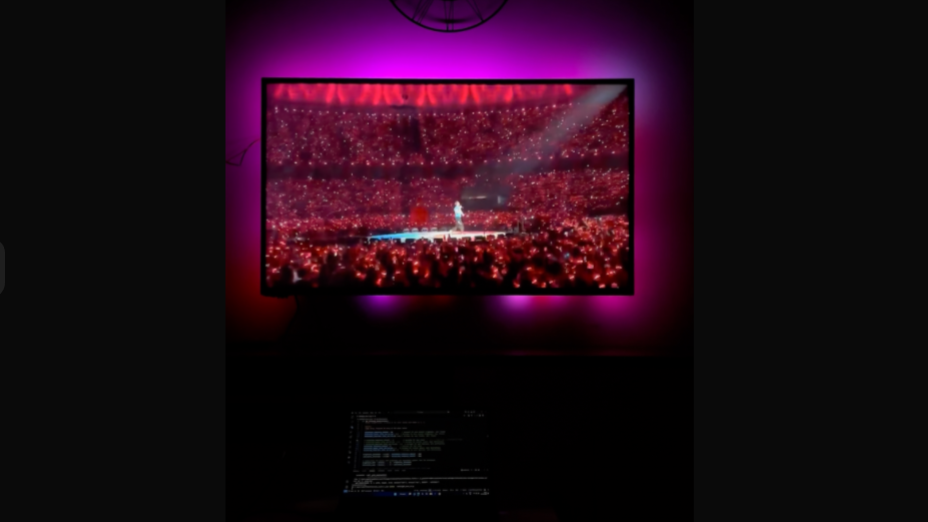
Ambilight TV
Summary
Transform your TV setup into an immersive Ambilight experience! This project captures the edges of your screen using Python, processes the colors with OpenCV, and sends the data over UDP to a NodeMCU ESP8266 that powers a NeoPixel strip behind your TV. With minimal hardware and open-source code, you’ll enjoy dynamic backlighting that matches your content in real time.
Motivation
Bias lighting improves contrast and reduces eye strain by illuminating the area around your display. Commercial Ambilight solutions can be expensive or proprietary—this DIY approach gives you full control using familiar components and Python.
How It Works
- Capture: A Python script continuous screen grabs with
mss. - Extract & Filter: Crop the top, bottom, left, and right edges; convert BGR to HSV; apply brightness and saturation thresholds; smooth over time.
- Transmit: Flatten the processed colors into a single data string and send it over UDP to a microcontroller (ESP8266) connected to a led strip and attach behind the display.
- Render: ESP8266 parses the incoming string and updates each LED before calling
strip.show().
Implementation Details
Project Structure:
1
2
3
4
5
ambilight_tv/
├── ambilight_main.py              # Python capture and UDP sender
├── ambilight_v1_arduino_wifi.cpp  # NodeMCU ESP8266 UDP receiver sketch
├── requirements.txt               # mss, opencv-python, numpy, etc.
└── README.md                      # This documentation
Prerequisites:
1
pip install -r requirements.txt
Running the Python Service:
1
python ambilight_main.py
Deploying to ESP8266:
- Open the Arduino IDE and select NodeMCU ESP8266 as the board.
- Install and include the Adafruit_NeoPixel library.
- Connect your NodeMCU to the LED strip mounted behind the TV.
- Load
ambilight_v1_arduino_wifi.cpp, then compile and upload to the board.
Results & Evaluation
- Real-Time Ambiance: LEDs update seamlessly with on-screen content.
- Low Latency: UDP and light processing yield minimal lag—perfect for movies and gaming.
Future Enhancements
- Multi-Monitor Support: Capture and map colors from multiple displays.
- Adaptive Brightness: Dynamically adjust LED brightness to match room lighting.
- Data Compression: Optimize the color data format for faster updates.
- Alternate Hardware: Port the receiver sketch to ESP32 or Raspberry Pi Pico.
Links
This post is licensed under CC BY 4.0 by the author.